Role
Research
UIUX design
Timeline
Jan-Apr 2026
Team
Solo design
Tools
Lovable
Figma Make
Figma
65% of designers & developers, spend 4-8 hours weekly
All stuck explaining & Interpreting the same thing.
The Problem
The Translation Tax
Teams lose 20–30% of working hours re-explaining the same decisions across tools, roles, and meetings. Context exists, it's just trapped in the wrong format, in the wrong place.

The Solution
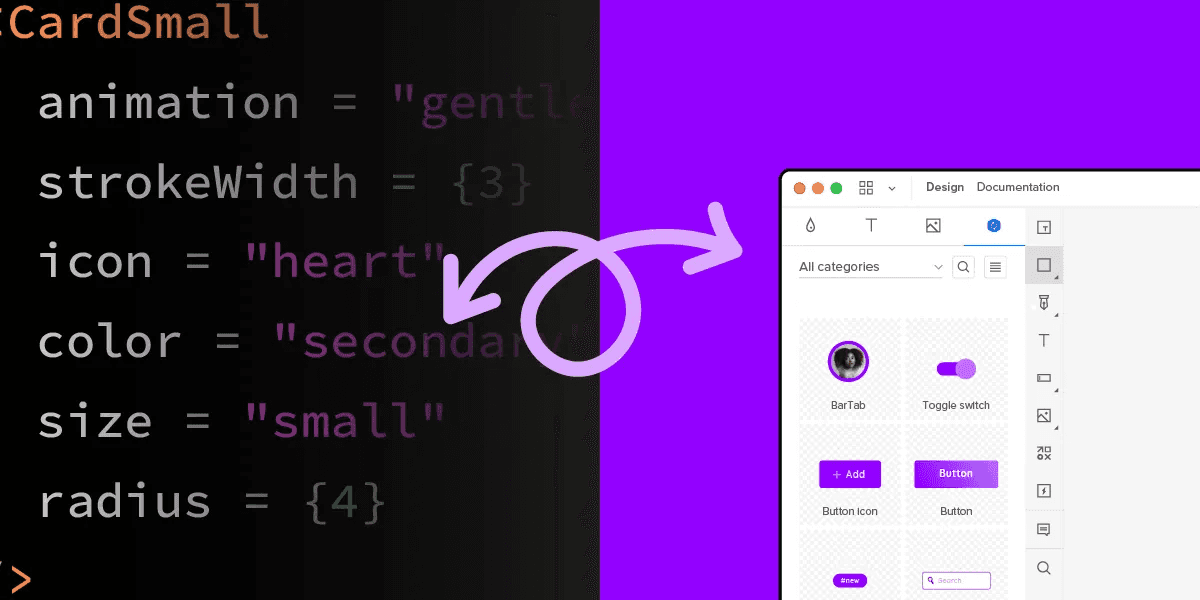
A coordination layer that integrated across the cross-functional ecosystem—from design canvases and communication hubs to the developer stack. By transforming ambient team intent into technical action, Synapse eliminates the manual documentation tax to ensure design vision and production never drift apart, improving efficiency.
Handoff flow: Designer View
Smart handoff in one click
Handoff flow: Engineer View
Implement with full context
Conflict flow: Product Manager & Designer's View
Autonomous detection & real time communication
The Process
It Started From My Internship Experience
This is not a single case, but an ongoing common pain
Primary Research of the collaboration problems that each role face
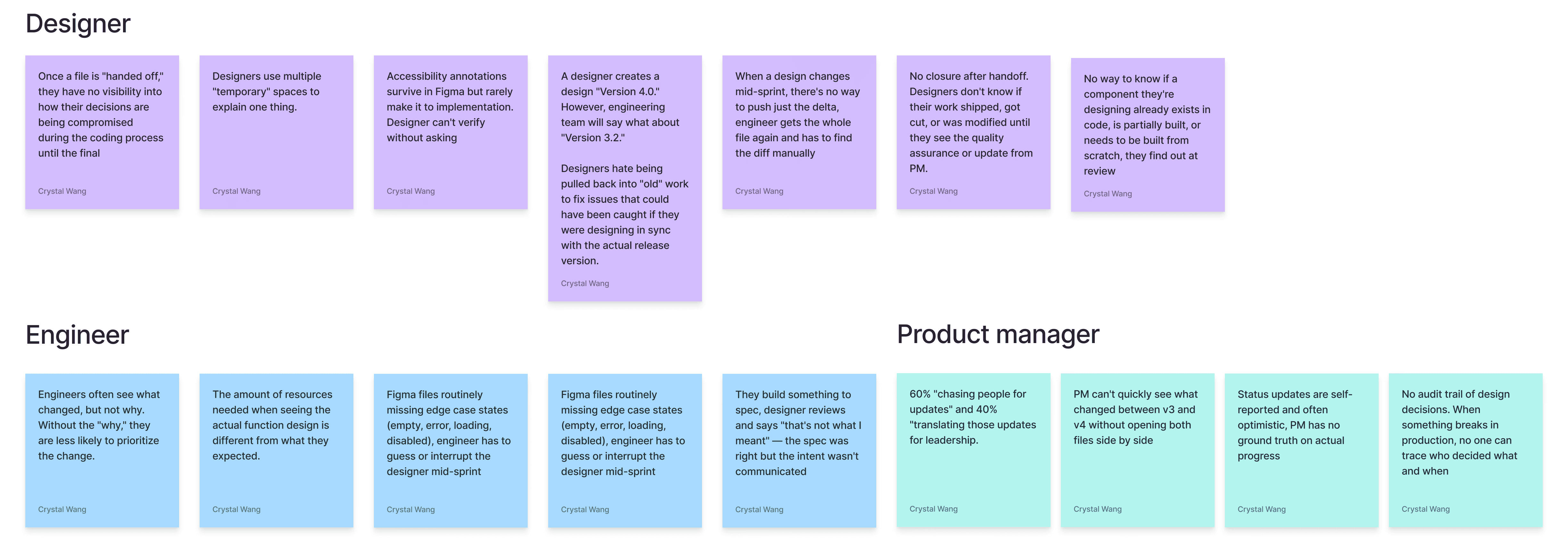
Major Painpoints
User Types
UX
Designers
Primary
PAIN POINT
Spends hours re-explaining design decisions to engineers and PMs.
manual burden of writing redlines and technical specs for every screen state.
Lacks context on system constraints.
Conversation of one design task happen everywhere
WHAT THEY NEED
Effortless Documentation
On-demand rationale generator
Dialogue to design guide
Constraint reminders
SE
Software Engineer
Primary
PAIN POINT
Struggle to understand the logic for interactions
Design sometime uses non-standard tokens that aren't in the library
WHAT THEY NEED
Visual diff since last implementation
Conflict detail cards
Version constraint flags
Linked Figma specs in GitHub
PM
Product Manager
Secondary
PAIN POINT
Loses track of design decisions
Manually writes tickets from meetings
Decision Loss
WHAT THEY NEED
Status Assembly
Action Item Tracking
Version-compatibility scan
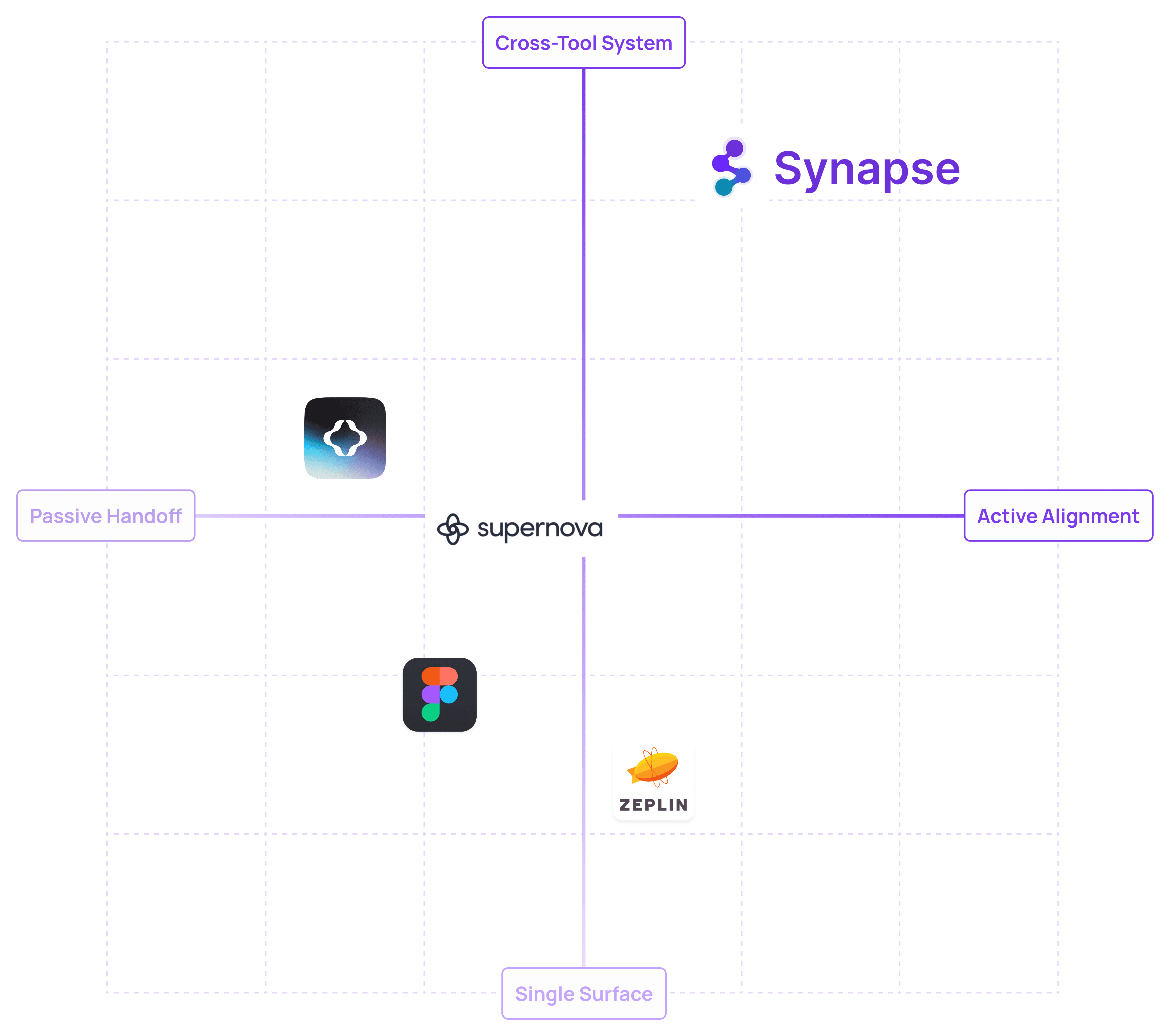
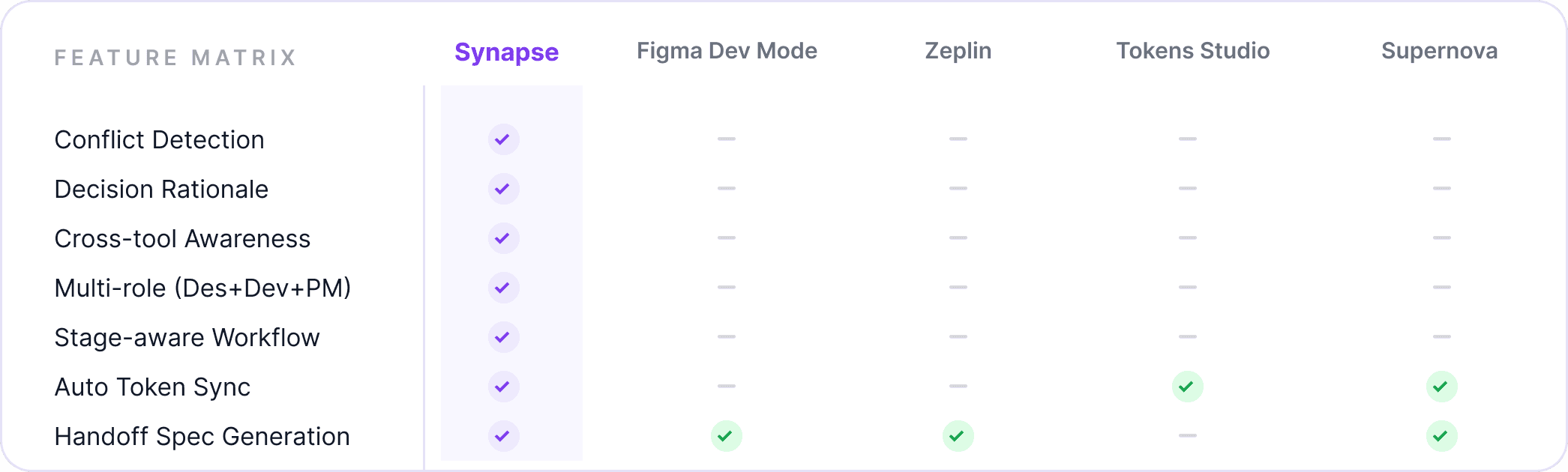
Competitive Analysis
Not a handoff tools, but a decision & Collaboration lifecycle
The design-to-development handoff market answers "what changed," and require human initiated action.
Synapse is the only tool spontaneously answering "why it changed, who decided, and how it reaches everyone."
Signal Capture Model
Monitors artifacts, not people
Tier 1
Passive trace
Always on — silent
Records artifact events with no UI. Figma, Github saves, Slack messages in opted-in channels, meeting uploads. User is unaware it is running.
Automatic
Tier 2
Proactive badge
Non-interruptive
When an event is detected on the artifact the user is currently viewing, a small dot appears on the Copilot icon. No sound. No popup. User can ignore it.
Opted-in channels only
Tier 3
Summoned copilot
On demand
User opens the Copilot Panel via shortcut or icon click. Reviews suggestions, conflicts, drafts. Every output requires explicit approval before any action is taken.
User-controlled
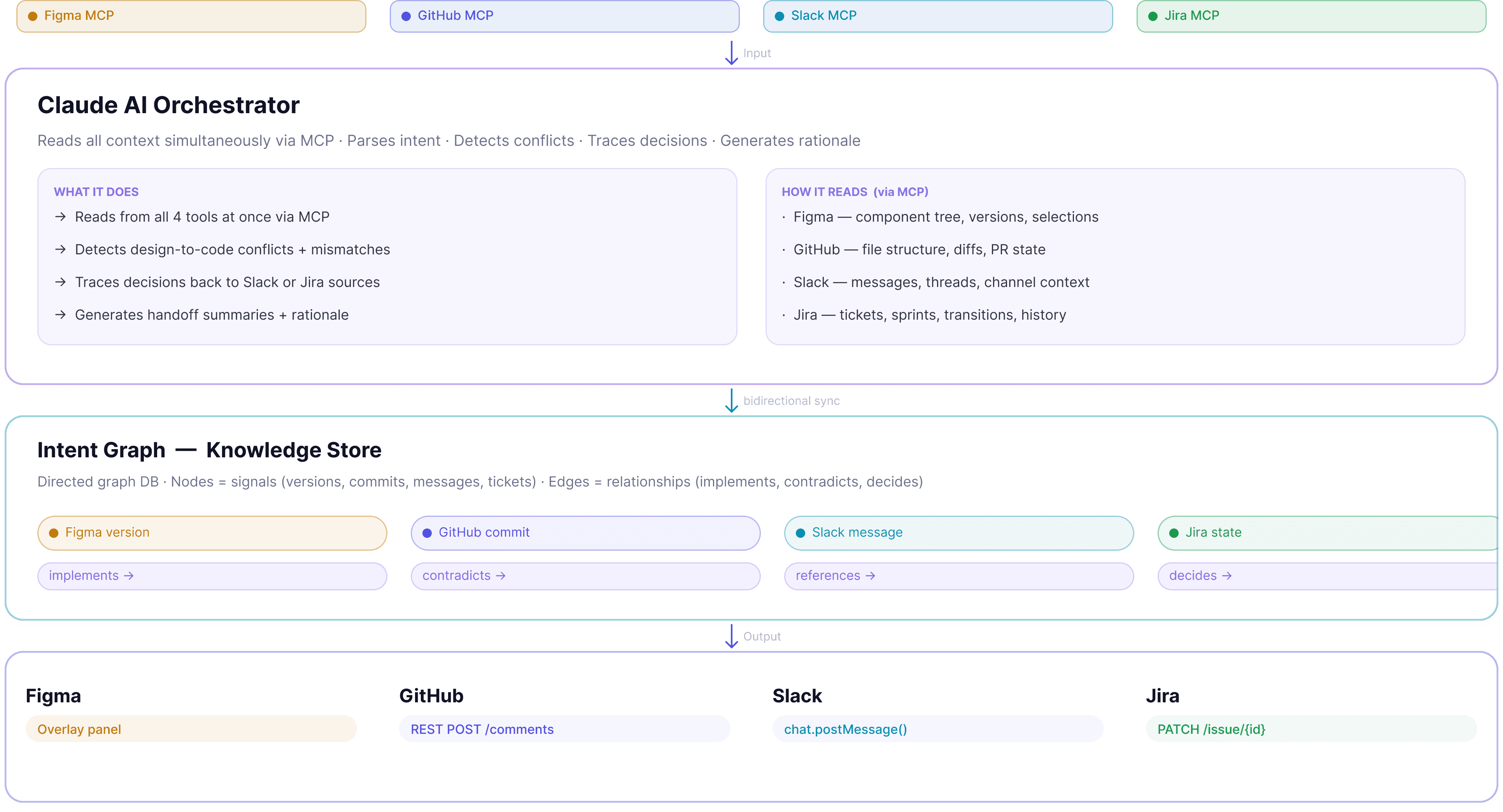
Data Model
How synapse work
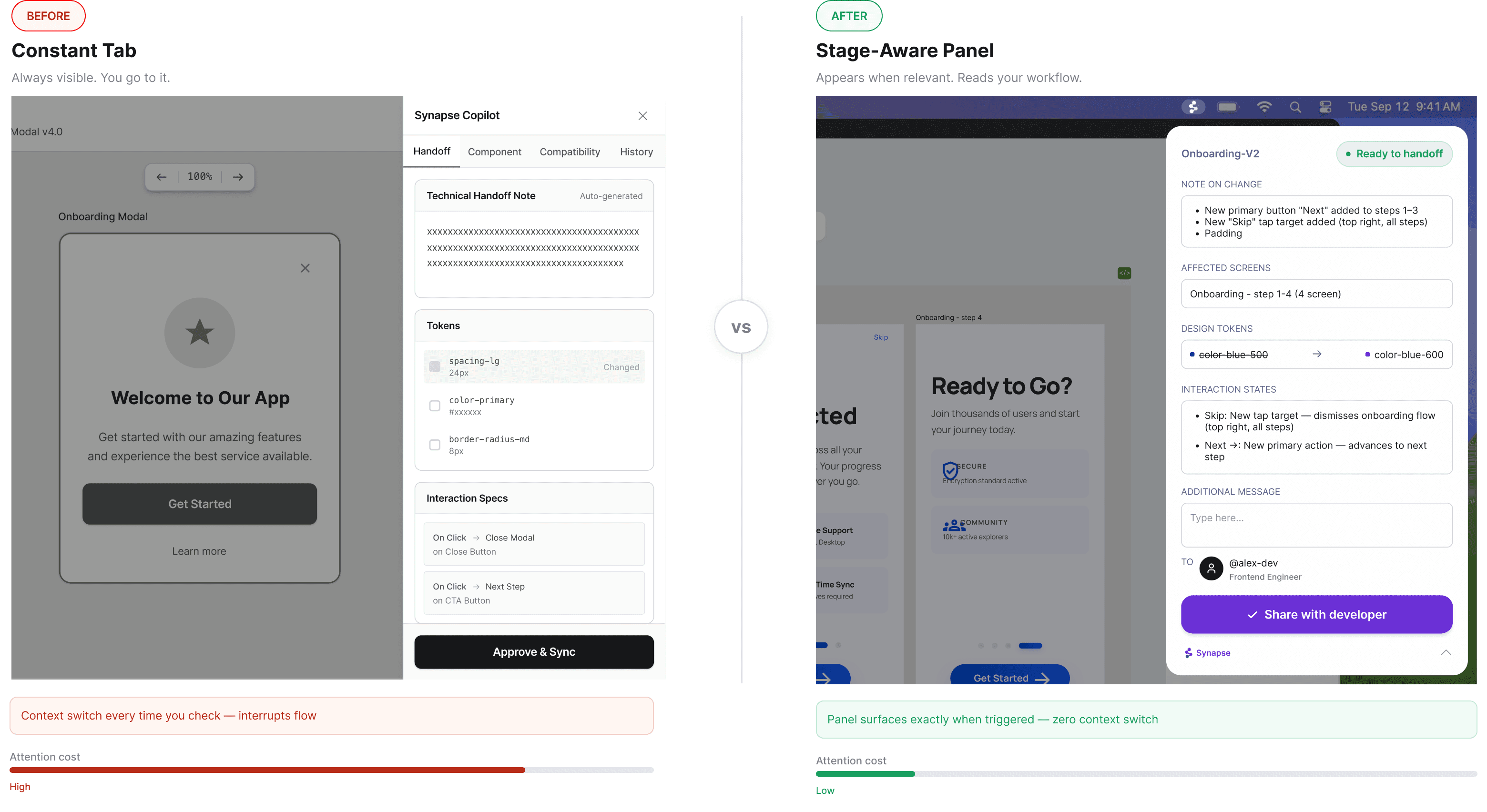
Key Design Decision 1
Passive
Proactive
Appear only when it has something relevant to say, then recedes
panel's content, actions, and urgency shift based on detected workflow state
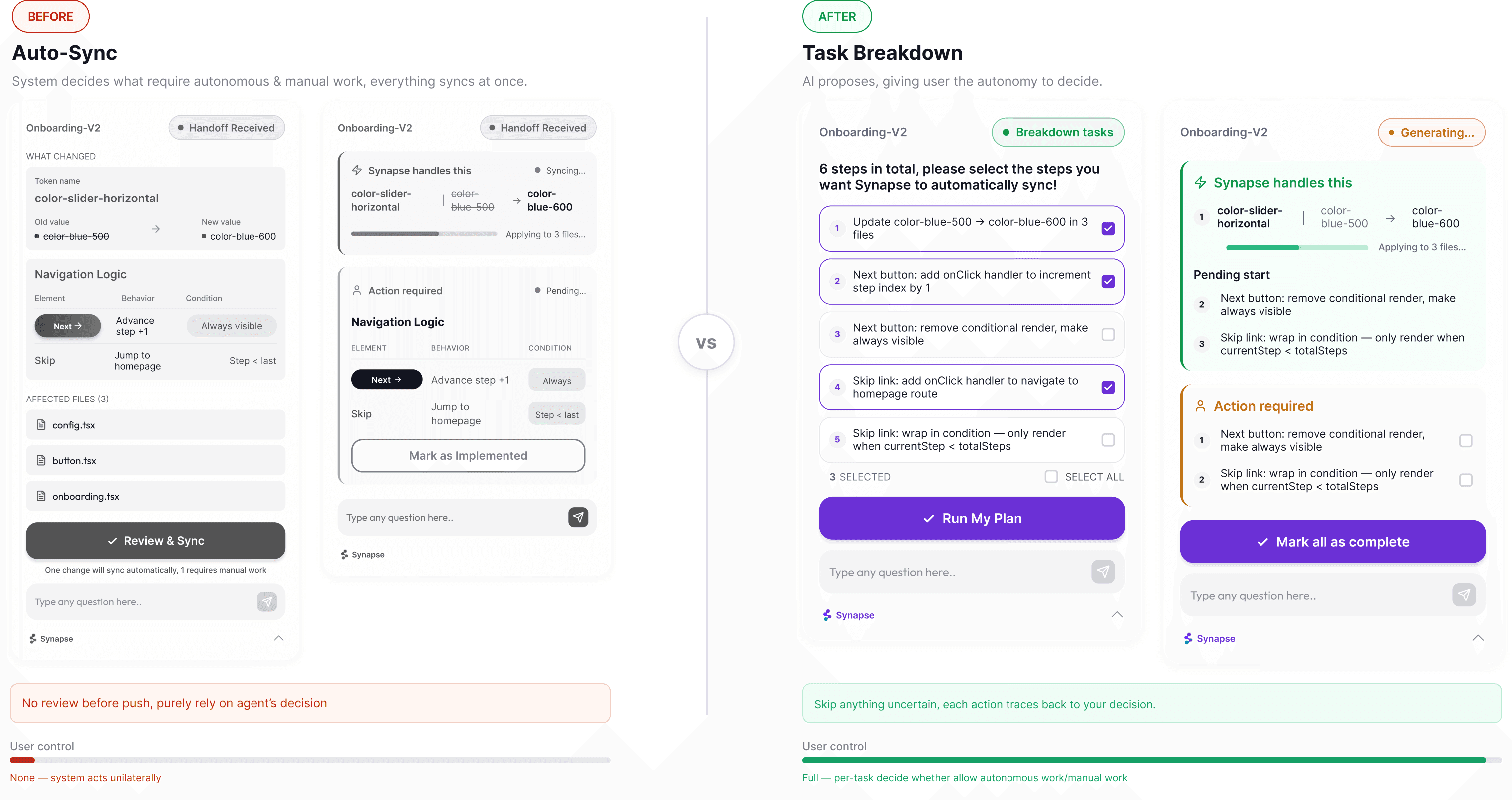
Key Design Decision 2
Why user autonomy?
When the system decides automatically, the user can't predict what will change, can't review it before it happens,
Human are professionally accountable for what gets shipped. Auto-sync removes that accountability boundary.
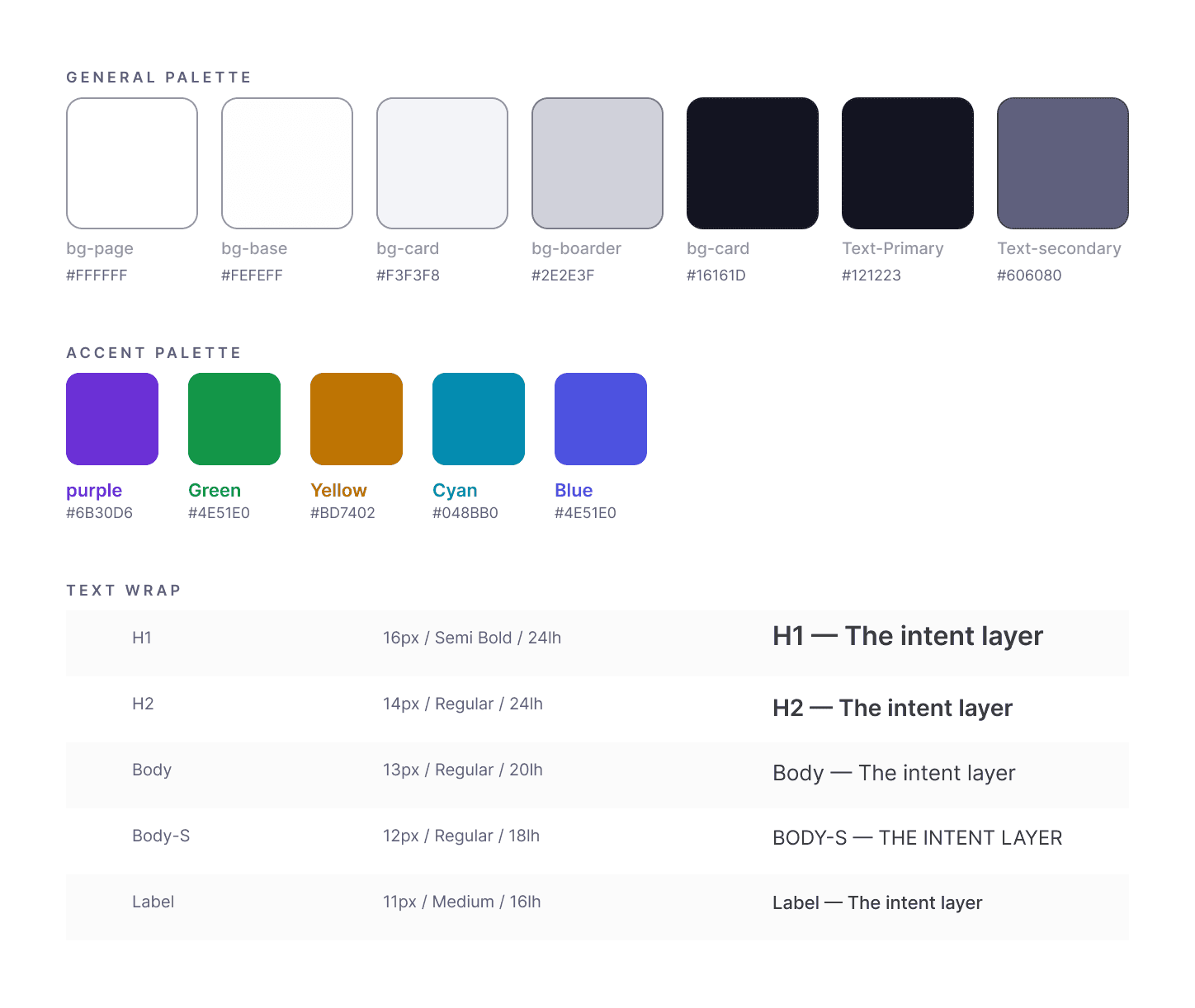
Design System